Both SCANZA and the 5-inch Slide N Scan list developed 110 negatives. Mounted 110 slides need a separate mount check. For large prints, ask a lab for a sample rather than treating output megapixels as a quality guarantee.
Make sure it really is 110.
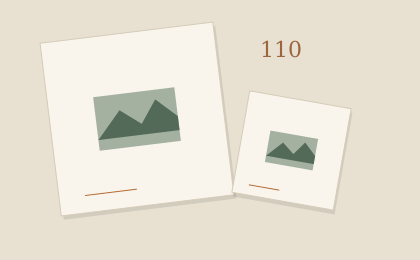
A common 110 mounted image is approximately 13 × 17 mm. The format name is not a 110 mm width. A small rectangle inside a slide mount is a clue, but labels and the mount still need checking.
If you have a closed, undeveloped cartridge, leave it closed and ask a lab about development. A scanner cannot develop the film. Use the identification guide if the material is uncertain.
For developed 110 negative strips.
The manufacturer documentation lists 110 negative support for both models below. That makes them documented candidates for everyday viewing and sharing, without establishing a winner for image quality.
- Slide N Scan: the RODFS50 manual shows a 110 film adapter used with the slide holder.
- SCANZA: its tray directory maps 110 color and black-and-white negatives to adapter no. 2 with insert no. 5.
Use the instructions for the exact model. Check that the necessary insert is included, especially when buying used. Do not load loose film without the specified holder.
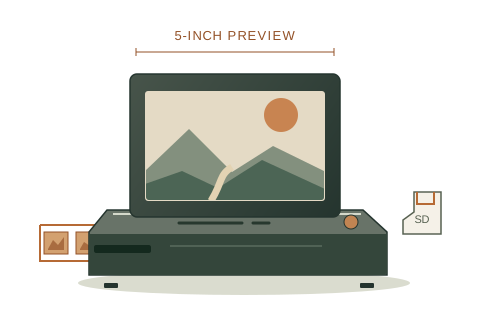
A larger preview
Kodak Slide N Scan
RODFS50 · 5-inch model
- 5-inch preview screen
- Film-strip feed with format adapters
- Save scans to an SD card
Developed film · 35mm / 110 / 126
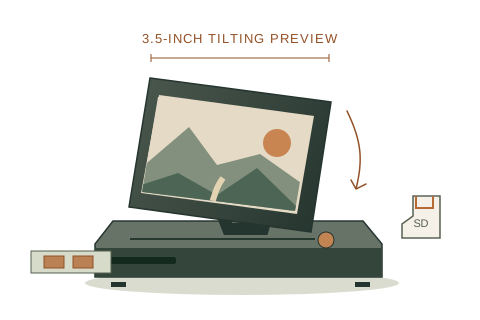
An adjustable preview
Kodak SCANZA
RODFS35
- 3.5-inch tilting screen
- Separate film trays and inserts
- Save JPEG files to an SD card
Developed film · 35mm / 110 / 126
Amazon may show a local match; confirm the exact scanner model, supported film formats, and included holders before ordering.
As an Amazon Associate we earn from qualifying purchases. Product links do not confirm current stock, seller, or price.
For mounted 110 slides.
Some 110 slides use a small mount around 25 × 25 mm; others sit inside a standard larger mount around 50 × 50 mm. The scanner’s supported film format and the holder’s accepted outer dimensions are separate checks.
The Slide N Scan documentation specifies a 50 mm slide holder. For small, thick, glass, or unusual mounts, ask the manufacturer which holder is required. The SCANZA manual shows 110 slide inserts and examples of mount sizes, but we have not physically verified every mount-and-tray combination.
Our finder therefore does not automatically recommend either model for a small or unusual slide mount. Measure it, confirm the holder, and leave delicate originals in their mounts.
Another option: a camera and a film holder.
If you already have a suitable camera or phone, a copy setup is another route. Lomography documents developed 110 capture using its DigitaLIZA 110 mask and DigitaLIZA+ or Max kits. You need a compatible holder, even backlighting, stable framing, and software to turn the negative into a positive image.
That workflow gives you more setup and editing decisions. It is not automatically cheaper or better: check the whole setup cost and a sample result. Read Lomography’s instructions; the manufacturer also sells the holders it describes.
More pixels do not enlarge the original detail.
SCANZA uses a documented 14 MP sensor and can save a 22 MP interpolated file. Interpolation increases the number of output pixels; it does not add a new optical capture of the film.
How much detail survives a scan also depends on the original photograph, focus, capture coverage, and processing. We have not measured these devices’ resolved detail, color accuracy, or print performance.
For an important enlargement, ask a lab for one sample scan and inspect it at your intended print size. For everyday sharing, first scan a few representative frames and decide whether the result meets your needs.
Sources & checks
Manufacturer documents checked October 8, 2026. Specifications may change; verify the exact model before purchase.
- Kodak Photo Plus: SCANZA specificationsFilm formats, 14 MP sensor, interpolated 22 MP output, and JPEG files.
- SCANZA RODFS35 user manual (PDF)Printed pp. 9–10: tray directory and slide sizes; pp. 20 and 26: interpolation and specifications.
- Slide N Scan RODFS50 user manual (PDF)English pp. 6–7: sensor and holder; pp. 8 and 12–13: developed film and loading.
- Kodak Digitizing: identifying mounted slidesImage openings and the distinction between film format and mount size. This publisher also sells a digitizing service.
- Lomography: scanning 110 film at homeCamera or phone capture with a compatible film mask, backlight, and negative conversion. Lomography sells the holders it discusses.
This is document-based guidance. We have not physically tested these scanners. How we reach a recommendation.